


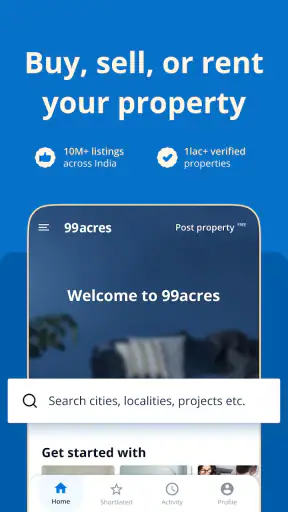


Searching for a home in India can quickly become a full-time task. Listings appear in different areas, prices shift between neighborhoods, and the same property may look very different once you compare its location, size, furnishing, and practical details. I found that 99acres Buy/Rent/Sell Property works best when I treat it as a research tool rather than a magic shortcut: I use it to build a shortlist, compare realistic options, and prepare better questions before contacting an owner or agent.
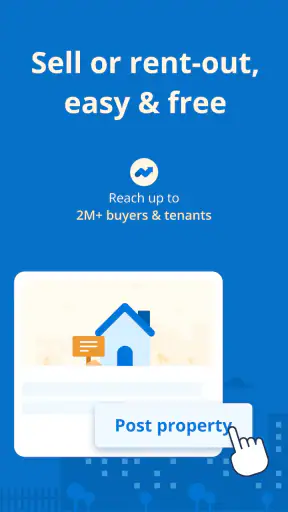
The app is free, aimed at everyone, and comes from infoedge.com. It belongs in the House & Home category and is available for devices running Android 8.0 or later. Its broad purpose is clear from the name: I can use it to look for a place to buy or rent, or to explore the selling side of the property market. That range makes it useful for people at different stages, although the experience depends heavily on how carefully I set up each search.
With an average rating of 4.3 from around 211 thousand ratings and more than 10 million installs, it is clearly a familiar property-search choice. I would not take those figures as a guarantee that every listing is perfect, though. A property platform is only as useful as the accuracy, freshness, and completeness of the individual listings I find. The app helps me organize discovery; it does not replace a visit, document check, or direct conversation.
How I use 99acres to turn a broad search into a workable shortlist
Starting with the right search instead of browsing everything
My first useful habit is to decide what I am actually trying to find before opening a long stream of properties. “A flat in Mumbai” is too broad to produce a practical shortlist. I get better results when I already know whether I am renting or buying, which neighborhoods are acceptable, the approximate budget, and which features are genuinely necessary. For a rental search, that might mean a furnished home near work. For a purchase, it could mean a specific number of bedrooms and a willingness to trade central location for more space.
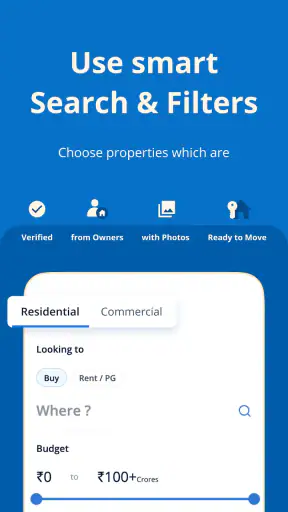
On 99acres, I begin with the transaction type and location, then narrow the results using the available property criteria. This prevents the common mistake of saving attractive homes that are impossible to afford or inconvenient to reach. I also separate “must have” requirements from preferences. A lift, parking space, or a particular bedroom count may be essential, while a balcony or newer interior may simply be desirable. That distinction keeps the shortlist realistic.
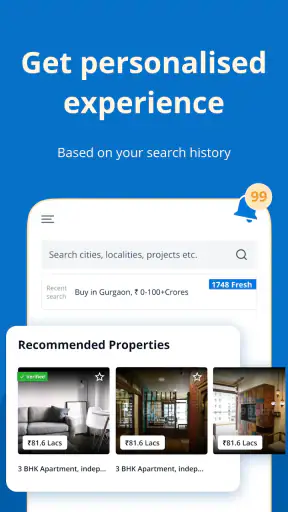
The app is particularly helpful during the first stage, when I need to understand what my budget can buy in different parts of a city. Instead of assuming that two nearby areas offer similar value, I compare them through actual listings. This gives me a more grounded sense of whether I should reduce the size, move farther from a business district, or reconsider a feature I initially considered essential.
A realistic everyday workflow
Imagine that I am moving for a new job and need a rental apartment. I first search the neighborhoods along my likely commute, then remove properties that are clearly outside my budget or unsuitable in size. I save a small group of plausible options rather than every attractive result. Later, I review that group side by side and note which listings mention furnishing, parking, floor level, and nearby conveniences.
Before contacting anyone, I write down the questions that the listing leaves open. Is the quoted amount monthly rent or a different charge? Are maintenance costs separate? Is the home actually available now? Are the photographs current? The app makes discovery easier, but my own notes stop the process from becoming a series of repetitive calls with no clear comparison.
For a buyer, I follow a slightly different pattern. I look beyond the headline price and inspect location, layout, condition, and the information supplied in the description. I use several listings in the same area to recognize unusual pricing. A low figure may represent a genuine opportunity, but it may also reflect a smaller unit, an inconvenient floor, an older building, or incomplete information. The app is most valuable here as a comparison surface, not as a final authority.
Why saved searches and shortlists matter
Property hunting rarely finishes in one sitting. New listings can appear while I am still deciding, and a property that looked interesting in the morning may be less appealing after I compare it with alternatives. Saving promising results gives me a repeatable way to return to the search instead of starting from the beginning each time.
I recommend keeping the shortlist deliberately small. If I save dozens of homes, the list becomes another form of clutter. A better approach is to retain only properties that pass the first practical test: acceptable location, believable budget, suitable size, and enough information to justify further attention. I can then revisit those options and remove anything with unclear details or poor fit.
This is also where I notice one of the app’s trade-offs. A property platform can show me many possibilities, but abundance does not automatically mean clarity. I still need a system for ranking results. My preferred order is location first, total expected cost second, and property condition or layout third. Cosmetic details come afterward. That order prevents attractive photos from dominating decisions that should be based on daily life.
Settings and search choices worth checking
The most important “settings” are the search choices I make before browsing. I check that the transaction mode is correct, because buying and renting require different questions and different expectations. I confirm the selected city or locality, review the budget range, and make sure the property type and bedroom requirements match what I need. A small mistake at this stage can fill the results with homes that look relevant but are not usable.
I also pay attention to how flexible my filters are. If I set every preference too narrowly, I may miss a suitable property whose listing uses slightly different wording. When results are sparse, I loosen one condition at a time rather than removing everything at once. For example, I might widen the location before increasing the budget, or accept a different furnishing status before compromising on the number of bedrooms. This tells me which adjustment actually improves the search.
For a rental, I keep the difference between monthly affordability and move-in affordability in mind. A home may fit the recurring budget but still require additional initial expenses. I use the listing to identify what needs clarification rather than assuming that the visible price represents the entire cost of moving in. For a purchase, I apply the same discipline to the displayed property price and ask what other financial or legal checks will be necessary.
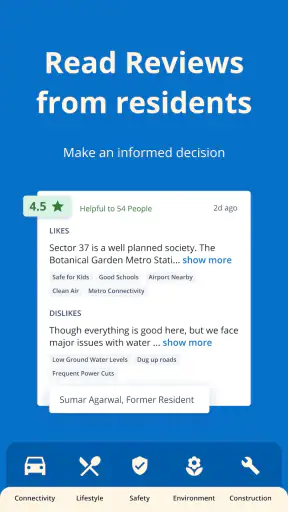
Location deserves special attention. A map position can look convenient until I consider the route I would take every day. I compare areas by access to work, family, schools, markets, or transport, depending on the situation. A slightly cheaper home may become a poor choice if it adds a difficult commute. Conversely, a smaller home in a more practical area may provide better value over time.
Faster patterns for repeat searches
Experienced users can save time by separating discovery from evaluation. During a quick session, I collect only plausible listings. During a second session, I inspect the details, compare similar homes, and prepare contact questions. Trying to perform both tasks at once makes me overreact to each new result and encourages impulsive decisions based on photos.
I also use a fixed comparison routine. For every serious candidate, I check the same group of points: exact area, property type, size, furnishing, floor, parking, visible condition, and any charges or restrictions that need confirmation. This is more reliable than reading each listing casually because different descriptions emphasize different strengths. A consistent routine exposes gaps that marketing-style wording can hide.
Another useful pattern is to search the same locality with slightly different criteria. One search may focus on the ideal home, while another allows a modest compromise in size or furnishing. This reveals whether the compromise produces meaningful savings or merely adds unsuitable results. It also helps me avoid assuming that the first set of filters represents the entire local market.
When I contact an owner or agent, I keep the conversation tied to the listing. I ask whether the property is still available, confirm the key facts, and request clarification on anything that affects cost or suitability. If the answers conflict with the listing, I treat that as a reason to slow down, not as a minor inconvenience. A fast response is not necessarily a trustworthy one.
Using the app as preparation for visits
One of the app’s strongest practical roles is helping me plan viewings. Instead of arranging visits randomly, I group properties by area and decide which ones are genuinely worth seeing. This saves time and makes comparison easier because I can inspect similar homes under similar travel conditions.
Before a visit, I review the listing again and create a short checklist. I look at the actual room sizes, natural light, noise, building access, water arrangements, mobile signal, and the condition of shared spaces. These details may not be represented fully in an online listing. I also check whether the surrounding street feels suitable at the time of day when I would normally travel or return home.
Photographs are useful for eliminating unsuitable options, but I do not treat them as proof of current condition. Wide-angle images can make rooms feel larger, while selective angles may leave out awkward areas. The app helps me decide where to spend my time; the visit tells me whether the property works in real life.
Where the app reaches its limits
The biggest limitation is inherent to property marketplaces: listing quality can vary. Some descriptions are detailed, while others leave important questions unanswered. Photos may not reflect the latest condition, and availability can change faster than an online listing is updated. I therefore avoid making a financial commitment based solely on what appears on the screen.
I also would not use this app as my only source when a decision involves complicated legal, ownership, or documentation questions. It can help me discover properties and compare locations, but professional verification remains important for a serious purchase or any arrangement with unusual terms. The same applies to identity and payment safety. I communicate carefully, avoid rushing because someone claims there are many interested buyers, and verify the property and people involved before transferring money.
Another limitation is that a large inventory can make the search feel repetitive. If I keep browsing without changing my criteria or reviewing my shortlist, I am unlikely to gain much. The solution is not necessarily more scrolling. It is better filtering, clearer priorities, and a willingness to discard listings that do not provide enough useful information.
People who want a highly personalized real-estate service may prefer working directly with a trusted local professional. That route can offer human guidance and local context, especially for complex transactions. On the other hand, it may provide fewer independent options or less control over the initial search. I see 99acres as a strong first step for independent research, not a universal replacement for every property service.
Who should use it and who should skip it
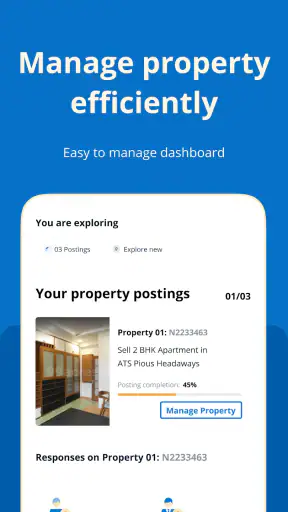
I would recommend the app to renters comparing several neighborhoods, buyers who want to understand local options before speaking with professionals, and owners who want a digital place to present a property to potential seekers. It is also useful for people relocating to a new city because it lets them explore the relationship between budget, location, and property type before making travel plans.
I would be more cautious about recommending it to someone who expects every listing to be perfectly current or who wants the app to make the final decision. It is not ideal for a user unwilling to verify details, compare total costs, or visit a property. It may also feel inefficient for someone searching for a very unusual property with highly specialized requirements, where a focused local network could produce better results.
The app is free, which lowers the barrier to experimenting with different locations and search approaches. Its current version is 16.0.25, and the broad device compatibility from Android 8.0 onward makes it accessible to many Android users. Those facts make it easy to try, but the real value comes from the habits around it: precise filters, disciplined shortlists, repeated checks, and careful follow-up.
My verdict after using it as a serious search tool
99acres Buy/Rent/Sell Property is most useful when I use it to make better property decisions, not when I expect it to make those decisions for me. Its coverage across buying, renting, and selling gives it a practical place in the early and middle stages of a property search. I can compare neighborhoods, identify realistic candidates, organize visits, and prepare more informed questions without relying on a single conversation or a handful of offline recommendations.
Its weaknesses are equally important. Listings require judgment, prices and availability need confirmation, and online presentation cannot reveal every problem with a home or building. The app does not remove the work involved in due diligence. Instead, it makes that work more organized by giving me a broad starting point and a way to narrow the field.
My recommendation is to install it if you are actively exploring the Indian property market and are comfortable taking responsibility for verification. Start with a clear brief, save only serious candidates, compare them using the same checklist, and treat every contact as the beginning of a verification process. If you follow that approach, this free House & Home app can save time and improve your search. If you want a completely managed, hands-off property experience, you will probably need more than an app marketplace can provide.


